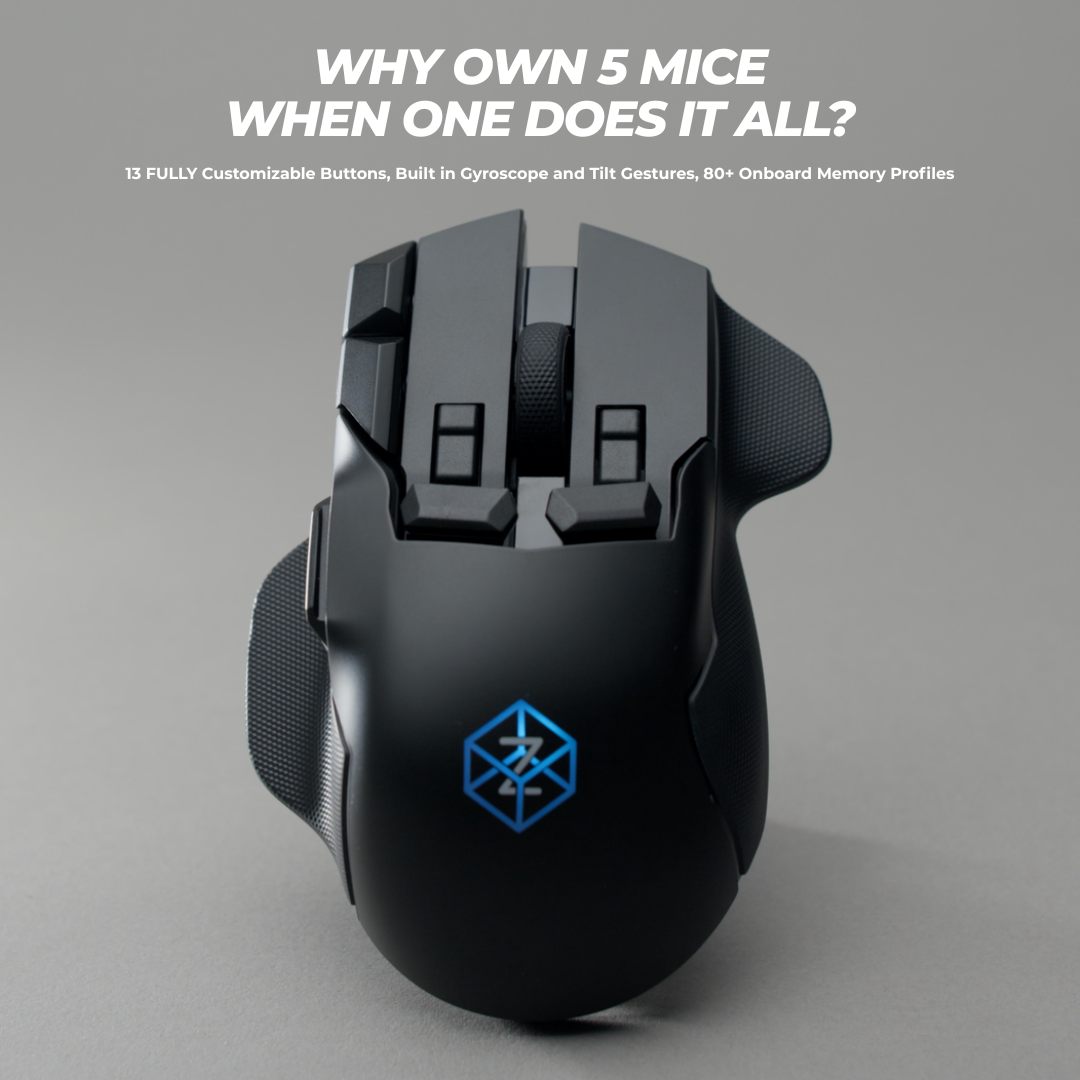
Swiftpoint Z3
The pinnacle of mouse technology.
Coming Soon.
Please Note: If you are unable to see the Z3 Early Access Sign-Up Form, please turn off any adblocker or VPN and refresh the page.
The Swiss-Army Mouse
Swiftpoint Z3
Join the 15,000+ other gamers, programmers, & workers enjoying the Z experience.
Why are customers upgrading to Swiftpoint
We surveyed 3,081 customers to find out why they made the upgrade to the Swiftpoint Z2. These are their unfiltered responses.
Works great
Title says it all. I'm an old gamer and have went through just about every gaming (and ergonomic) mouse you can think of -- the Z2 is better.
The construction feels solid, the clicks are responsive and satisfying. The software to configure is straightforward and it is HIGHLY customizable.
Nothing is perfect -- let me give you every complaint I can make about the newcomer experience -- these are all very minor, but:
1. I can't figure out forward/backward tilting. Side to side works fine.
2. I don't understand the point of the joystick adapter piece. Maybe I'm not the target audience?
3. I would like an easy way to show the click/mouse actions in the side LCD to make binding/debugging easier (there is a settings you can download that does this, but I think it should be a built-in option in the configuration app).
4. I just got the Z2 and now they have announced the Z3!
That's it. If I was forced to complain about this mouse, that's all I've got.
It's damn near perfect.
Amazing, this outfit is on top of their game! Thank you for your efforts.
... found this mouse on an instagram add. Normally I am very sceptical about those adds. But my 2nd mouse from a big brand lastet only 4 years so I thought I give a smaller brand a try.
Can't say much about long term durability yet. But everything else has inpressed me so far.
First thing I noticed that the gliders work very well on my wooden desk. So Indon't need a mousepad that just catches dust and dirt.
On first touch I thought it is top flat for ma hand. I have big hands, mostly because of long fingers. So my palm does not rest entirely on the bulge of the mouse body. It didn't felt good at he first 1 or 2 hours of use. But after a few weeks in (and intensly playing Arc Raiders) I must say, no problems at all. I love all the buttons! One of the main reasons I bought it actually. I love that I can have alot of functions at my fingertips. Its quick and easy. You just habe to asign some keys you don't need often on the keyboard to the extra buttons and windows and games have no Problem to asign them. Works flawlessly. Setting it up didn't take much fiddeling.
And I found that because I use all these buttons regularly the position of my hand is not that static during long play sessions and in return is more relaxed in griping the mouse. Much less fatigue there.
So for now I am very well a fan.
Thank you!
-
Swiftpoint Z2
Regular price $229.90 USDRegular priceUnit price / per$229.90 USDSale price $229.90 USD -
Swiftpoint Z2 & Travel Case Bundle
Regular price $229.90 USDRegular priceUnit price / per$269.80 USDSale price $229.90 USDSale
Classic Grip Series
🔥 Save Up to $80 on the Z2's younger siblings 🔥
Comfortable fit and fully customizable. Now I want the Z2 lol.
Creator
Everyone I talked to very nice and epic. Received a broken mouse ended up with a working mouse. Very satisfied. Mouse works great now.
This thing has changed the way i work throughout the day, ive been able to put my spotify controls, vs code macros, web browser shortcuts, and other custom macros onto this thing.. This was the last piece for my ergo setup (split kb, remarkable for notes, mouse), and while its not a true ergo mouse, the huge reduction in movement and additional rests for thumb and pinky on the mouse make it a win for me.
Now if i could just get my fingers to unlearn 20 plus years of normal mouse usage.. i keep clicking all the extra buttons inadvertently. Having a XXL hand doesn't make it easier, but i dont think making the mouse larger would aid me in that.. it feels great in my hand.
If you do not require an ergo mouse to do your work, and are looking for a mouse with a few extra buttons.. just get this.. Its customizable enough that you will find uses for the other buttons.. i PROMISE you
Collapsible content
Classic Grip Comparison Table
Pen Grip Series
🔥 The Tracpad Killer. Get Up to $50 off 🔥
The compact Swiftpoint mouse (PenPoint) is an excellent tool for travel, especially when there is limited space to use a traditional mouse pad. Its ergonomic design allows for easy control directly on the laptop's surface, even in the small area between the keyboard and the user's body.
This is a very unique mouse that is easy to handle and it reduced the pain on the wrist. At first it is really difficult to use but after spending some time you get use to it.
I have been using vertical mice for over 10 years and was recently on the hunt for a new one that wasn't too large in my hand. I have been using the DELUX Ergonomic Wireless Mouse with USB Receiver and Removable Wrist Rest most recently, and have been pretty happy with it. Then came this mouse.
This is more like holding a pen than a mouse. It is much smaller in person than it appears in many of the photos. I like the positioning of the buttons for the most part, but you do have to move your finger back and forth between the left and right mouse buttons since one is in back of the other. The wheel placement is okay but it is not clickable. It would have been nice if the mouse wheel could be clicked and use as the right button instead of the right button being behind the left (front) button.
I highly suggest that you watch some product tutorial videos of this mouse in action, it will help a lot. I love the feature where you can tilt the mouse on its side and use it as if you were pointing on a touchscreen, flicking and scrolling on the desk to navigate. It is one of my favorite parts about this mouse. The software for customizing it is also great.
I'm a geek and a professional Tech; this is slick. You get functionality (watch the video!!!) that works out of the box and I've connected it to android phones, tablets, surface books, and a mac. FLAWLESS. I was a huge skeptic, but I literally JUST ORDERED THE PRO VERSION at full price -- no "vine" program. I thought it was a one-off, goofball product that might be over-hyped. NOPE. This is cool and functional all day long. BONUS: pull it out at work or anywhere else and you get a lot of "what in the world???" comments. That's fun.
-
SaleProPoint - Backorder
Regular price $89.90 USDRegular priceUnit price / per$159.90 USDSale price $89.90 USDSale -
SurfacePoint - Backorder
Regular price $79.90 USDRegular priceUnit price / per$139.90 USDSale price $79.90 USDSale
Collapsible content
Pen-Grip Comparison Table

ErgoPoint
Our first vertical grip mouse utilizing our innovative pen-grip software.
Join Our Community
Help us shape the future of peripherals and become part of the journey to build innovative new products